Daily, Scan & Go, and weekly rentals on one platform.
Independent operators should not need separate systems depending on how they rent. Street Rental supports daily reservations, self-service, and weekly rentals, or a mix, from reservation through return.
Daily Rentals
Advance reservations with scheduled pickup and return.
Scan & Go
Customers complete the rental with less staff involvement.
Weekly Rentals
7-day cycles, renewals, and long-running customer relationships.
One Street Rental Platform
All operating models share the same foundation
Modern software for the rental model you already know.
Street Rental supports operators who take reservations in advance and manage scheduled pickup and return. Modernize bookings, customer details, payments, deposits, check-in, and returns without abandoning the workflows that already work.
A complete reservation journey — from class selection to pickup readiness
Street Rental connects class selection, renter information, pricing, payments, deposits, vehicle assignment, and pickup preparation in one operating workflow.
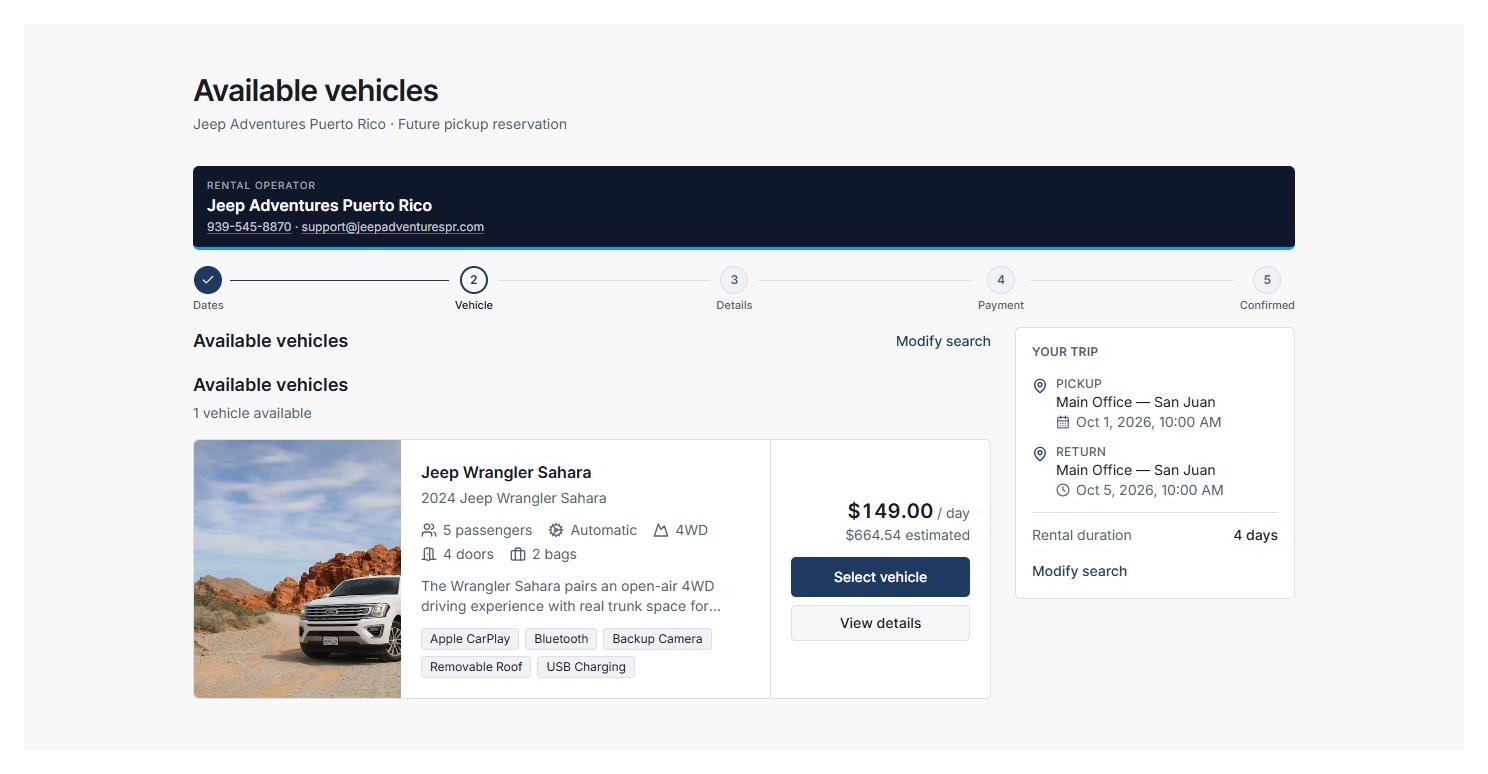
Choose an available vehicle class
Customers review available classes, class details, rental pricing, and estimated totals. The operator then assigns a compatible vehicle within the reserved class.
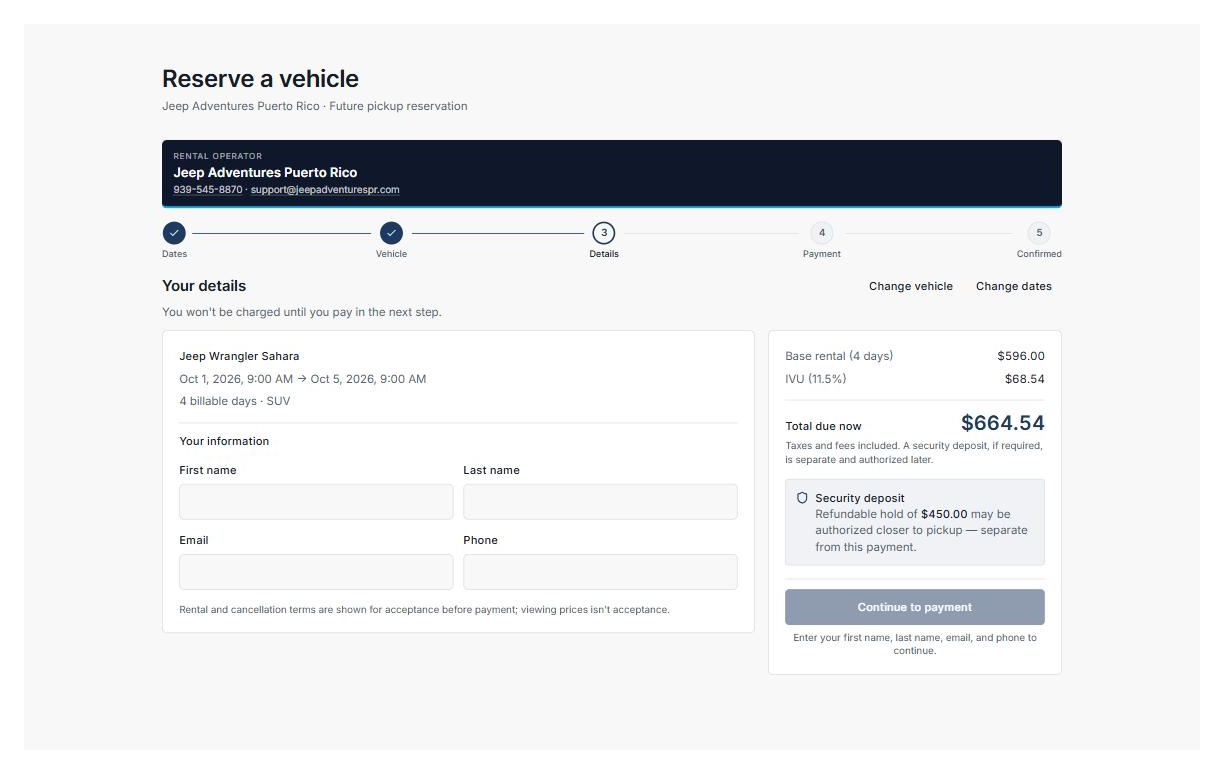
Complete the reservation
Rental dates, renter information, taxes, total pricing, and security-deposit requirements come together before payment.
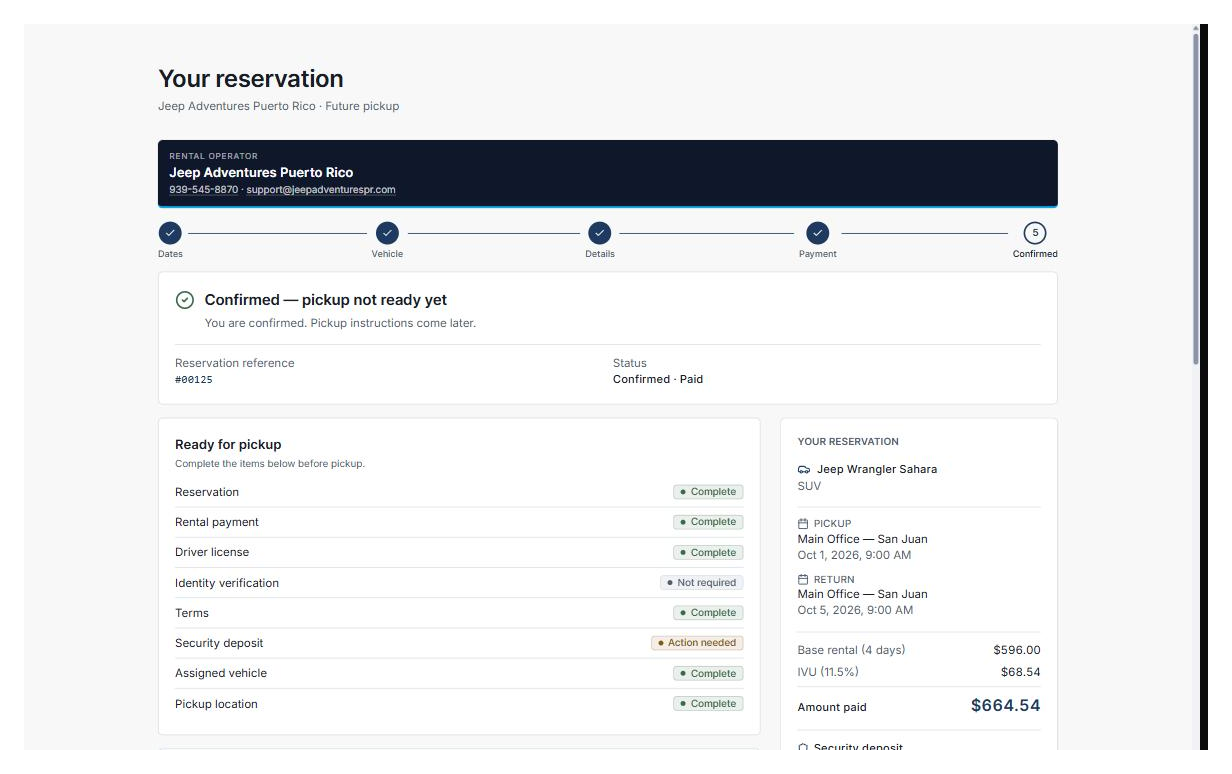
Stay ready for pickup
After confirmation, Street Rental tracks the operational requirements that must be completed before pickup — including payment, driver license, terms, deposit status, vehicle assignment, and pickup location.
Example configured daily rental workflow
A rental experience with less front-desk friction.
Scan & Go lets customers complete the digital rental journey — identity, license, pickup photos, vehicle access, and return — with minimal staff involvement.
Not every vehicle requires Smartcar. Street Rental is designed to support Smartcar, lockbox, and in-person access models, depending on how the fleet operates.
From reservation to vehicle access — without the counter
Scan & Go guides the renter through confirmation, check-in readiness, vehicle inspection, secure vehicle access, and trip activation in one mobile-first flow.
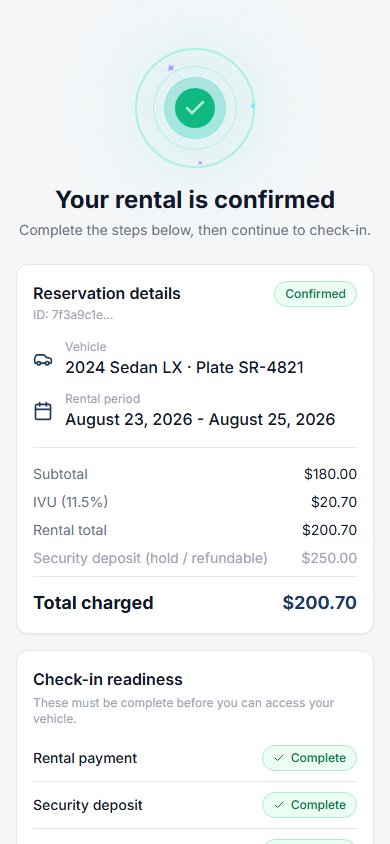
Rental confirmed
The renter sees reservation details, payment status, security-deposit readiness, and the remaining check-in requirements before vehicle access.
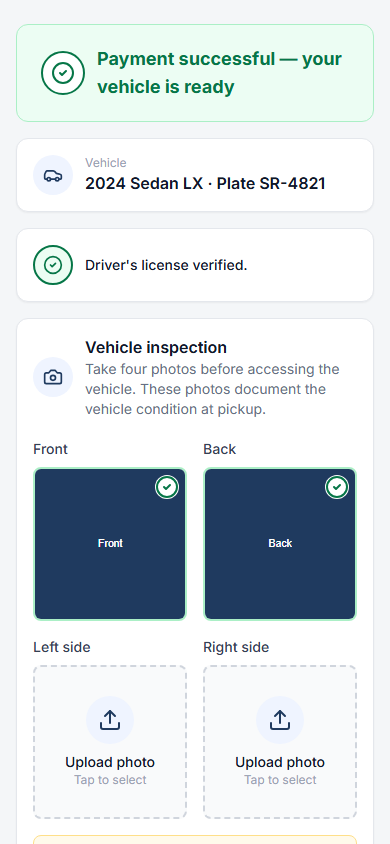
Complete the vehicle inspection
Before access, the renter completes the required vehicle-condition photo workflow.
Two access methods, one workflow
Street Rental supports both connected vehicle access and physical lockbox workflows within the same Scan & Go operating model.
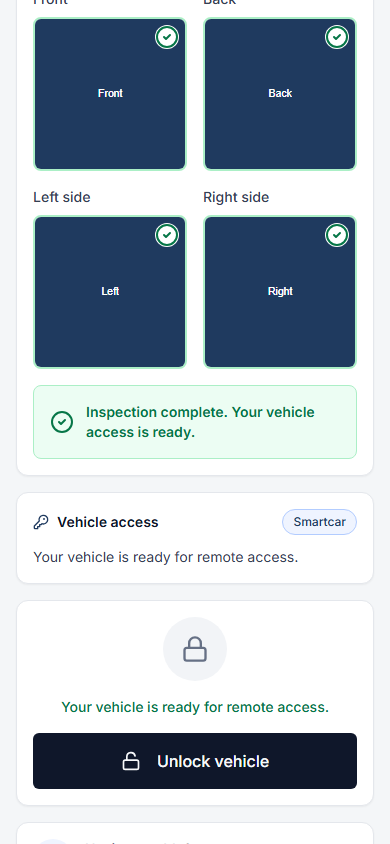
Connected vehicle access
For supported connected vehicles, Street Rental can present remote vehicle access directly in the renter flow.
Lockbox access
For vehicles using a physical lockbox, the same flow can securely reveal the configured access code when the renter is ready.
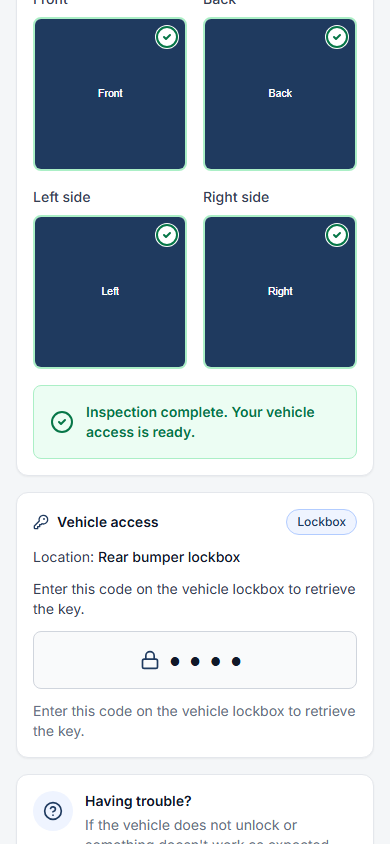
Example configured Scan & Go workflow showing both access methods
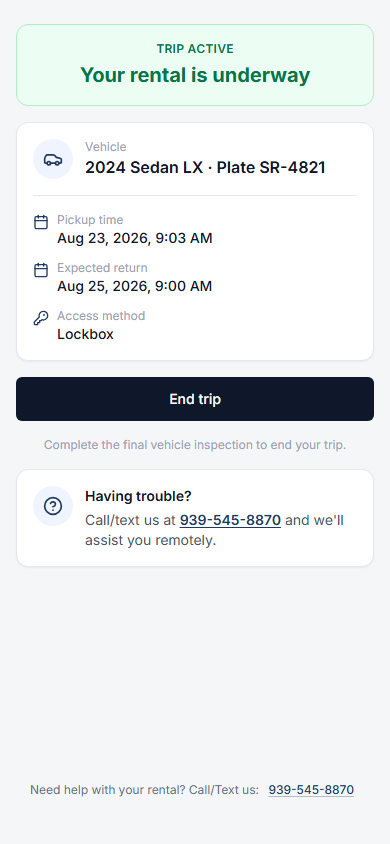
Trip active
Once access is complete, the renter sees the active rental state, vehicle details, expected return, and the action to end the trip.
Built for weekly rental operators.
Manage customers who keep vehicles week after week without forcing a daily-rental workflow onto the business. Weekly rentals are a vehicle rental operating model — not a software subscription plan.
Street Rental covers the weekly rental lifecycle: assignment, check-in, payments, deposits, availability, and return — using the same tools you already use for your traditional and Scan & Go rentals.
Explore weekly car rental software- 7-day rental cycles
- Payment collection
- Vehicle assignment
- Customer check-in
- Deposits and returns
- Vehicle availability
- Long-running customer relationships
Your fleet does not have to operate one way.
Use connected access where it makes sense, lockboxes where it does not, and in-person handoff when needed. Street Rental lets operators configure the access method by vehicle.
Connected Access
Use Smartcar with supported vehicles when connected access is part of the operator's configuration.
Lockbox
Configure lockbox pickup for vehicles or locations where connected access is not used.
In-Person Handoff
Keep staff-assisted pickup when the vehicle, renter, or location calls for it.
One operation. Different methods by vehicle.
Run daily, self-service, and weekly rentals alongside a mixed-access fleet without forcing every vehicle into the same pickup workflow.
Different customer journeys. One operating platform.
Traditional, Scan & Go, and weekly rental workflows share the same Street Rental foundation — eliminating the need to maintain disconnected systems.
Fleet Management
Vehicle inventory, classes, and availability
Payments & Deposits
Processing, authorization, and deposit workflows
Customer Management
Renter profiles, verification, and history
Business Rules
Policies, requirements, and operational settings
Automation
Workflows, notifications, and operational triggers
Multi-Location
Manage operations across multiple locations
See if Street Rental fits your operation.
Traditional reservations, Scan & Go, and weekly rentals are all included. Choose your fleet size and start today — for more than 50 vehicles, talk to Street Rental.